AForge.NET Framework
2.2.5 version is available!

Color reduction

AForge.NET framework provides set of image processing routines to perform color reduction
in images (including color dithering). All of the routine are placed into
AForge.Imaging.ColorReduction namespace.

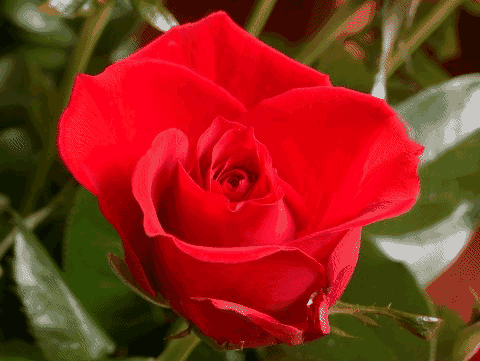
Below is the list of implemented color reduction routines and the result of
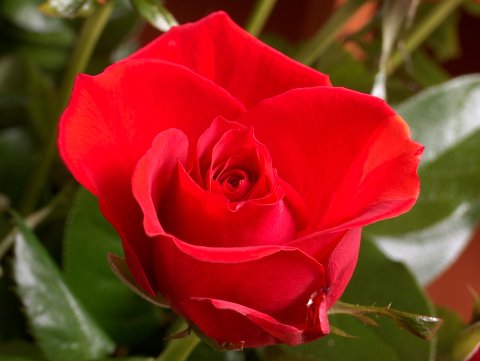
their application to the below source image.

Source image

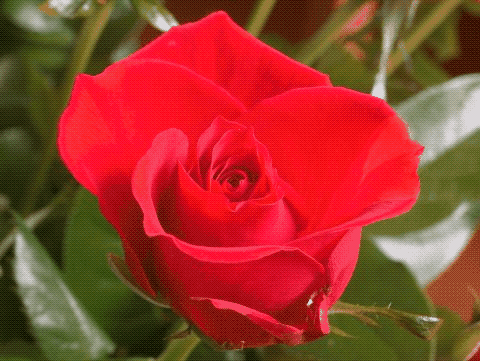
Source image

ColorImageQuantizer and
MedianCutQuantizer

The ColorImageQuantizer
class can be used to calculate reduced color palette of the specified size for
an arbitrary color image. The color palette can be used later for re-coloring image so it uses less colors:

// instantiate the images' color quantization class
ColorImageQuantizer ciq = new ColorImageQuantizer( new MedianCutQuantizer( ) );
// get 16 color palette for a given image
Color[] colorTable = ciq.CalculatePalette( image, 16 );
// ... or just reduce colors in the specified image
Bitmap newImage = ciq.ReduceColors( image, 16 );

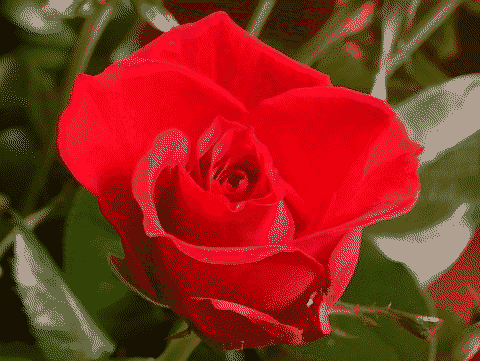
Color quantization

Color dithering

In addition to color quantization the framework also provide set of color dithering algorithms, which are
BurkesColorDithering,
FloydSteinbergColorDithering,
JarvisJudiceNinkeColorDithering,
SierraColorDithering and
StuckiColorDithering.
Using these classes it is possible to re-color image into default 16 colors “system” palette or to the best
fitting palette calculated with MedianCutQuantizer routine:

// create dithering routine (use default color table)
SierraColorDithering dithering = new SierraColorDithering( );
// apply the dithering routine
Bitmap newImage = dithering.Apply( image );
// ... or ...
// create color image quantization routine
ColorImageQuantizer ciq = new ColorImageQuantizer( new MedianCutQuantizer( ) );
// create 16 colors table
Color[] colorTable = ciq.CalculatePalette( image, 16 );
// create dithering routine
FloydSteinbergColorDithering dithering = new FloydSteinbergColorDithering( );
dithering.ColorTable = colorTable;
// apply the dithering routine
Bitmap newImage = dithering.Apply( image );

Below are the images, which could be obtained by color dithering


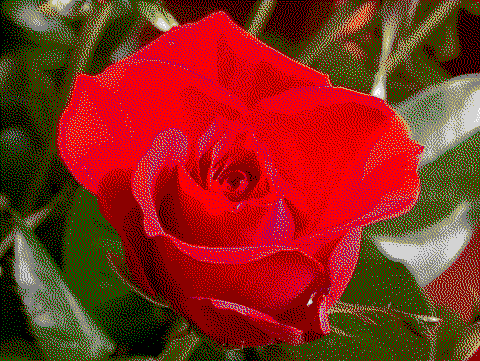
Default 16 color palette (SierraColorDithering):

Default 16 color palette


Optimized 8 colors (BurkesColorDithering):

Optimized 8 colors


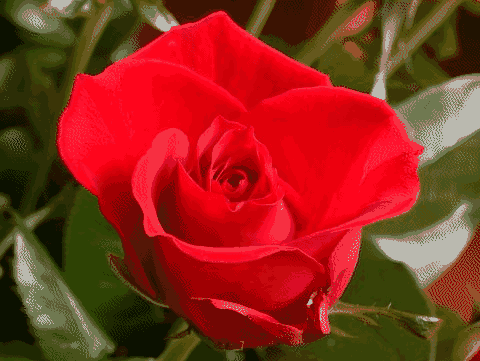
Optimized 16 colors (FloydSteinbergColorDithering):

Optimized 16 colors


Optimized 32 colors (JarvisJudiceNinkeColorDithering):

Optimized 32 colors


Optimized 64 colors (StuckiColorDithering):

Optimized 64 colors

Ordered color dithering

In addition to error diffusion color dithering methods, the framework provides ordered color dithering algorithm,
which provides nice crosshatch pattern for an image with reduced number of colors.

Ordered Color Dithering