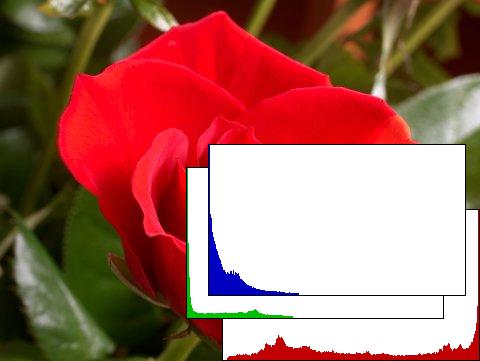
Image StatisticsAForge.NET framework provides set of routines to calculate different type of statistics Image Statistics
// gather statistics
ImageStatistics stat = new ImageStatistics( image );
// get red channel's histogram
Histogram red = stat.Red;
// check mean value of red channel
if ( red.Mean > 128 )
{
    // do further processing
}
Similar information may be obtained for HSL and YCbCr color spaces, using Vertical Intensity Statistics // collect statistics VerticalIntensityStatistics vis = new VerticalIntensityStatistics( sourceImage ); // get gray histogram (for grayscale image) Histogram histogram = vis.Gray; // output some histogram's information System.Diagnostics.Debug.WriteLine( "Mean = " + histogram.Mean ); System.Diagnostics.Debug.WriteLine( "Min = " + histogram.Min ); System.Diagnostics.Debug.WriteLine( "Max = " + histogram.Max );
Horizontal Intensity Statistics // collect statistics HorizontalIntensityStatistics his = new HorizontalIntensityStatistics( sourceImage ); // get gray histogram (for grayscale image) Histogram histogram = his.Gray; // output some histogram's information System.Diagnostics.Debug.WriteLine( "Mean = " + histogram.Mean ); System.Diagnostics.Debug.WriteLine( "Min = " + histogram.Min ); System.Diagnostics.Debug.WriteLine( "Max = " + histogram.Max );
|
|||||||